Best Estimating Software for Contractors and Small Service Businesses (2026): 5 Quoting Apps Compared
Some links on this page may be affiliate links. If you sign up through them, we may earn a commission at no extra cost to you. Learn more.
A quote is your first real sales pitch. The customer compares it with two other quotes, usually on their phone, usually that same evening. The business that answers first, looks professional, and makes it easy to say yes tends to win the job.
This guide is for small service businesses — solo to about 10 people. Think house cleaners, lawn care, pressure washing, handymen, and small HVAC or plumbing shops. We compared five quoting apps on the features that actually win jobs: online approval, deposits, optional add-ons, good-better-best options, and automatic follow-ups.
Prices verified October 27, 2026 on each app’s official pricing page. We used Jobber’s free trial and sent a sample quote through it — see our Jobber review. The other apps are based on their official pricing pages, feature pages, and help centers, which we name where it matters.
Not a construction takeoff guide
If you’re a general contractor bidding new builds or remodels from blueprints, you need takeoff and bid software (tools like STACK or PlanSwift) that measures plans and builds material lists. That’s a different category, and it isn’t covered here.
Quick picks
- Best overall for service businesses: Jobber — quotes, approval, deposits, and follow-ups tied to scheduling and invoicing. From $29/month billed yearly.
- Best for good-better-best options: Housecall Pro — built-in multi-option estimates and required deposits. From $59/month billed yearly.
- Cheapest dedicated estimating app: Joist — fast estimates from your phone, from $10/month.
- Best free plan: Contractor+ — 5 estimates or invoices a month for $0.
- Cheapest for a crew: Kickserv — 5 users for $60/month.
Want deposits and good-better-best quotes? Housecall Pro’s 14-day trial includes the Max plan, no credit card.
Comparison at a glance
| App | Cheapest plan with quotes | Free option | Online approval | Deposits on quotes | Optional add-ons / options | Auto follow-ups |
|---|---|---|---|---|---|---|
| Jobber | $29/mo yearly · $49 monthly | 14-day trial | Yes (tested) | Yes | Optional line items (Grow) | Connect and up |
| Housecall Pro | $59/mo yearly · $79 monthly | 14-day trial | Yes, with e-signature | Yes | Good-better-best | Yes |
| Joist | $10/mo | 14-day trial | Yes, with e-signature | Yes | Not listed | Reminders |
| Contractor+ | Free | Free plan | eSign | Listed | Good-better-best + optional items | Not listed |
| Kickserv | $60/mo (5 users) | 30-day trial | Yes, in customer center | Not confirmed | Not listed | Email and text reminders |
Prices from official pricing pages, October 27, 2026. Feature details come from each app’s feature pages and help centers. Several apps don’t say which plan each quoting feature is on — check during the free trial.
Regular month-to-month prices checked October 27, 2026. Contractor+ Freedom and Joist Basics are limited to 5 documents a month. Contractor+ Pro Team includes 2 users and Kickserv Start includes 5. Yearly billing is cheaper: Jobber Core $29, Housecall Pro Basic $59, Joist Basics $8.34. Jobber's automatic quote follow-ups start on Connect ($139 monthly).
What to look for in a quoting app
Most apps can make a PDF with your logo. These five features are what separate a nice-looking quote from one that gets approved.
The customer taps Approve on their phone and signs. No printing, no scanning, no “I’ll get back to you.” You get a notification and can book the job right away.
The customer pays a deposit as part of saying yes. It filters out tire-kickers and protects you on bigger jobs like full-house pressure washing or a deep clean before a move-out.
Let the customer add gutter brightening, inside-fridge cleaning, or a second annual tune-up with one click. Offering three packages often moves people to the middle one instead of “no.”
Many quotes don’t get a “no” — they just get forgotten. A reminder two or three days later brings them back without you having to remember.
Saved line items and quote templates mean a standard job takes a minute to quote. A good mobile app lets you send it from the driveway while you’re still in front of the customer.
1. Jobber — Best overall for service businesses
- Price: Core $29/mo billed yearly ($49 month-to-month) · Connect from $99 · Grow from $149
- Users: 1 on Core; extra users $29/mo each
- Free trial: 14 days of Grow features, no credit card
We sent real quotes during our Jobber trial. On the customer side, the quote showed Approve and Request Changes buttons and a PDF download. Approving asked for a signature — drawn or typed — and the customer automatically got a thank-you email with the signed quote attached.
When we marked a line item as optional, the customer could tick it to add it to the total. Jobber also dropped an automatic reminder onto our calendar two days after sending a quote that hadn’t been answered. Once approved, the quote turned into a job and then an invoice without retyping anything.
Pros
- Customers approve and sign online in a couple of taps
- Optional line items let customers upsell themselves (Grow plan)
- Required deposits on quotes, paid through the client hub (per Jobber’s help center)
- Quote becomes a job and an invoice with the same line items
Cons
- Automatic quote follow-ups start on Connect ($139/month month-to-month)
- Optional line items need Grow ($199/month month-to-month for 1 user)
- No built-in good-better-best packages — optional items are the closest thing
Two things tripped us up. The Convert to Job button only appears after the quote is approved. And the unit price field is linked to unit cost and markup, so typing a cost can unexpectedly set the price to $0. Neither is a deal-breaker once you know.
Jobber's current intro offers
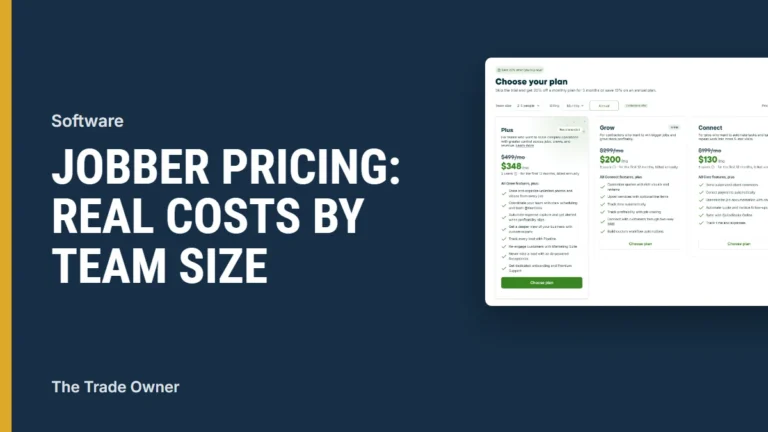
On October 27, 2026, Jobber’s pricing page showed discounts for new customers — for example, Core at $21/month for the first 12 months billed yearly, or $35/month for 3 months on monthly billing. Regular prices apply after that. Full details are in our Jobber pricing guide.
Best for: cleaning, lawn care, and pressure washing businesses with repeat customers who want quoting, scheduling, and invoicing in one place.
2. Housecall Pro — Best for good-better-best options
- Price: Basic $59/mo billed yearly ($79 monthly) · Essentials $149 ($189) · Max $299 ($329)
- Users: 1 on Basic, 5 on Essentials, 8 on Max
- Free trial: 14 days of the Max plan, no credit card
Housecall Pro’s estimates page advertises “good-better-best” estimates, approval with an e-signature from the customer’s phone or email, and automatic follow-up reminders for open estimates. Its help center explains required deposits: set a flat amount or a percentage, and the customer must pay it before they can approve.
Every plan includes estimates, a price book, and job costing. Essentials adds flat-rate pricing, and Max adds a sales proposal tool. We haven’t used Housecall Pro ourselves — this is based on its official pages.
Pros
- Good-better-best options built in
- Deposits can be required by default on every estimate
- Automatic reminders for estimates that haven’t been answered
- Popular with HVAC, plumbing, and electrical shops
Cons
- More expensive than Jobber for one person ($79 vs. $49 month-to-month)
- The pricing page doesn’t say which plan includes multi-option estimates and follow-ups — confirm during the trial
- Card fees start at 2.59% (“as low as”), so they can be higher
Best for: small HVAC, plumbing, and electrical shops that present repair-or-replace options on the spot. See Housecall Pro pricing for every plan.
3. Joist — Cheapest dedicated estimating app
- Price: Basics $10 · Pro $17 · Elite $32 · Run $100/mo (two months free billed yearly)
- Free trial: 14 days, no credit card
Joist is an estimating and invoicing app for contractors who quote at the kitchen table. Its trade pages describe customer approval and signatures by email, converting approved estimates into invoices, requesting deposits through Joist Payments, and reminders for outstanding approvals. Homeowner financing is on every plan.
Basics allows only 5 documents a month. Pro ($17/month) removes the limit. The Run plan adds scheduling and showed an introductory price of $70/month when we checked. Based on Joist’s official pages, not our own use.
Pros
- Lowest price for unlimited estimates ($17/month on Pro)
- Fast to learn — it does estimates and invoices, not much else
- Homeowner financing helps on bigger jobs
Cons
- Basics’ 5-document limit runs out fast
- No good-better-best options listed
- The pricing page doesn’t show which plan includes signatures and deposits
Best for: handymen and small remodel or repair contractors who send a handful of detailed estimates a week. Joist’s pricing page blocks some automated readers, so we read it through a web fetch and checked the math against the yearly totals.
4. Contractor+ — Best free plan
- Price: Freedom $0 · Pro Team $58/mo (2 users) · Max $500/mo
- Users: Pro Team: 2 included, $20/mo per extra user
The free Freedom plan sends up to 5 estimates or invoices a month and stores up to 250 leads and clients. Contractor+’s estimates page lists good-better-best pricing tiers, optional line items, built-in contracts and eSign, deposits and payment schedules, and saved line-item templates.
Its AI estimating tool, Estimatic AI, is unlimited on the Max plan. Based on official pages only — we haven’t used Contractor+.
Pros
- $0 to start, with real estimates and online payments
- Good-better-best tiers and optional items advertised
- Pro Team covers 2 users for $58
Cons
- 5 documents a month on the free plan
- The pricing page doesn’t say which features are on which plan
- Annual prices aren’t published (“save up to 40%”)
Best for: brand-new businesses quoting a few jobs a month. More free options are in our free field service software guide.
5. Kickserv — Cheapest for a small crew
- Price: Start $60 · Run $119 · Scale $199/mo (20% off billed yearly)
- Users: 5 on Start, 10 on Run, 20 on Scale
- Free trial: 30 days
Kickserv is full field service software at a budget price. Customers can approve estimates online in the customer center, according to Kickserv’s own announcement. Every plan includes automated email and text reminders and QuickBooks Online sync.
Its pricing page doesn’t list estimate features in detail, and we couldn’t confirm deposits on estimates. Based on public information only.
Pros
- 5 users for $60 — far cheaper per person than Jobber or Housecall Pro
- QuickBooks Online sync on the cheapest plan
- Longest free trial here (30 days)
Cons
- Fewer quoting extras advertised (no add-ons or multi-option estimates listed)
- Deposits on estimates not confirmed
Best for: crews of 3–5 who mainly need scheduling and billing, with simple estimates.
What makes a quote win
The software helps, but the habits matter more. Here’s what works for small service businesses.
1. Send it the same day
Speed is the cheapest advantage you have. If you walk the property at 2 p.m., send the quote from your truck before the next stop. A saved template for your three most common jobs makes this realistic.
2. Give options, not one take-it-or-leave-it price
Three tiers work well: a basic mow, mow-plus-edging-and-blowing, and a full-service package. Or one price plus optional add-ons. Customers compare your options instead of comparing you with the other company.
3. Ask for a deposit on bigger jobs
A deposit at approval locks in the job and cuts no-shows. A common range is 10–50% depending on job size, but some states cap deposits for home improvement work (California, for example, limits most to 10% or $1,000, whichever is less). Check your state’s rules first.
4. Follow up once or twice — automatically
A short reminder after two or three days, and one more a week later, is enough. Let the software send them so you don’t have to remember.
5. Price it right before you send it
A fast quote at the wrong price just wins you unprofitable work. Work out your numbers with our contractor hourly rate calculator and our pricing guides for pressure washing, house cleaning, and lawn mowing.
How to choose
Start free with Contractor+, or pay $10–$17 for Joist. Upgrade when you’re sending more than 5 quotes a month.
Jobber. Quotes turn into recurring jobs and invoices, and Connect adds automatic follow-ups. Compare it with others in our Jobber vs. Housecall Pro guide.
Housecall Pro. Good-better-best options and required deposits fit higher-ticket jobs.
Kickserv at $60 for 5 users, if simple estimates are enough.
Already happy with your estimates and just need to get paid faster? See the best invoicing apps for contractors.
Frequently asked questions
What is the best estimating software for small contractors?
For most small service businesses, Jobber is the best all-round choice because quotes connect to scheduling and invoicing. If you mostly sell higher-ticket repair-or-replace jobs, Housecall Pro’s good-better-best estimates are a strong fit. For estimates only, Joist is the cheapest paid option.
Is there free estimating software for contractors?
Yes. Contractor+ has a free plan with up to 5 estimates or invoices a month. Wave also offers free estimates and invoices, though without scheduling. Jobber, Housecall Pro, and Joist only offer free trials.
Is estimating software the same as takeoff software?
No. Takeoff software measures blueprints and builds material lists for construction bids. The apps on this page are for service jobs priced by the visit, room, square foot, or package, and they focus on sending, approving, and following up on quotes.
Can customers approve and sign quotes online?
Yes. Jobber, Housecall Pro, and Joist all let customers approve and sign quotes online. Contractor+ advertises eSign, and Kickserv lets customers approve in its customer center. In our Jobber trial, the customer could sign by drawing or typing their name.
Should I require a deposit on quotes?
It depends on the job. Deposits make sense on large one-time jobs and on anything where you buy materials up front. For small recurring jobs like weekly mowing, a card on file usually works better. Check your state’s deposit rules for home improvement work.
How much does estimating software cost?
From $0 (Contractor+ Freedom) to about $10–$17 a month for Joist, and $49–$79 a month month-to-month for all-in-one apps like Jobber and Housecall Pro. Yearly billing lowers the price. Card processing fees, usually around 2.6–2.9% per payment, are extra.